
02 Content
Until recently, we at FlowUp, as distributors of Google Workspace, were granted access to the admin console of each of our new clients by default. However, the new default setting is different - we don't have access to your admin. Would you like to check or change the settings in your own Workspace? We bring you a simple guide on how to do it.
It will only take a few seconds. Before you start, make sure you have administrator rights, so you can access your admin interface.
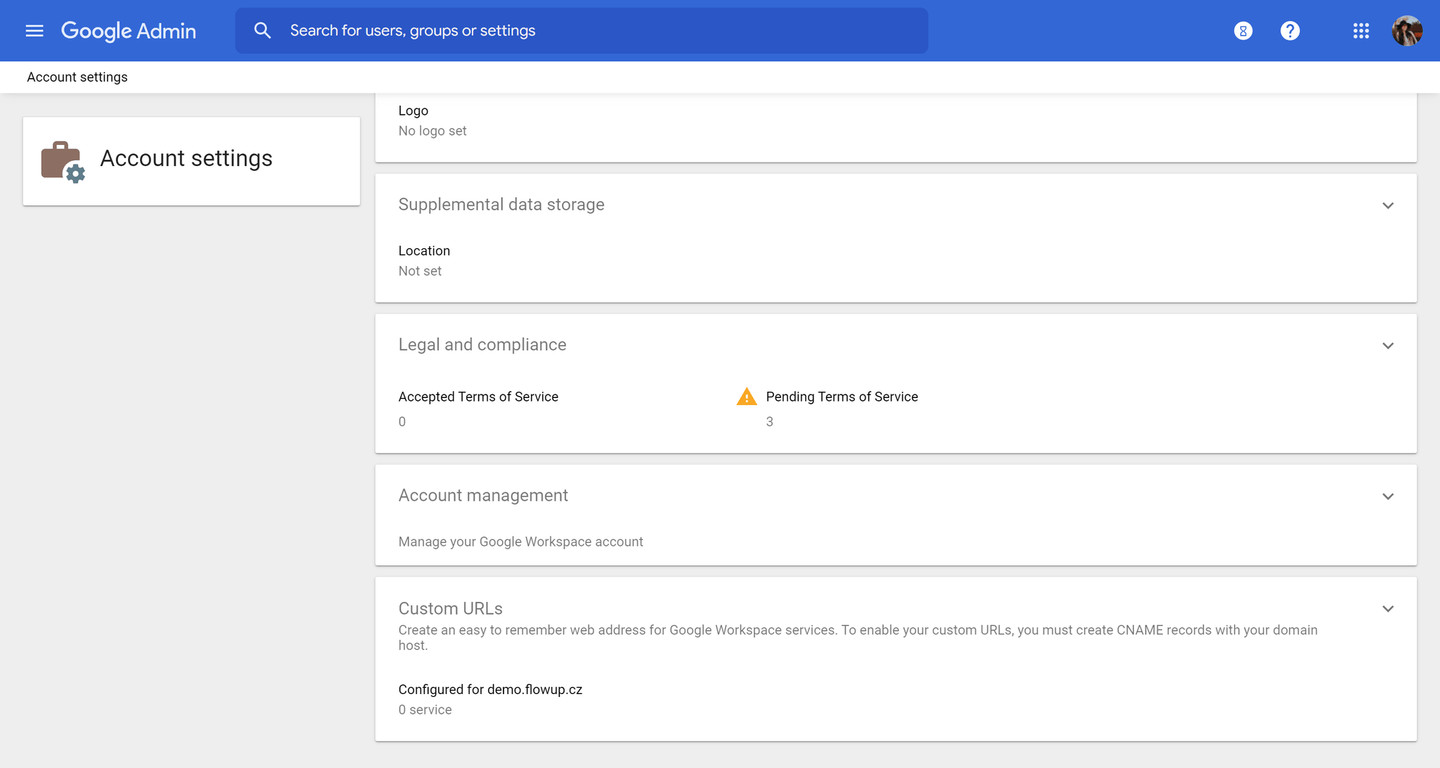
Open "Google Admin". Then proceed to "Account settings" and then to "Account management".
"Reseller access" appears first on the page. In case there is "ON" written under this sentence: "Enable reseller access to the admin console to manage this domain and its support cases," it means that we already have access to your admin console. If there is a free checkbox in front of it, it means that we don't have access. By checking the box, you can grant access to us, by unchecking it, you can remove it.
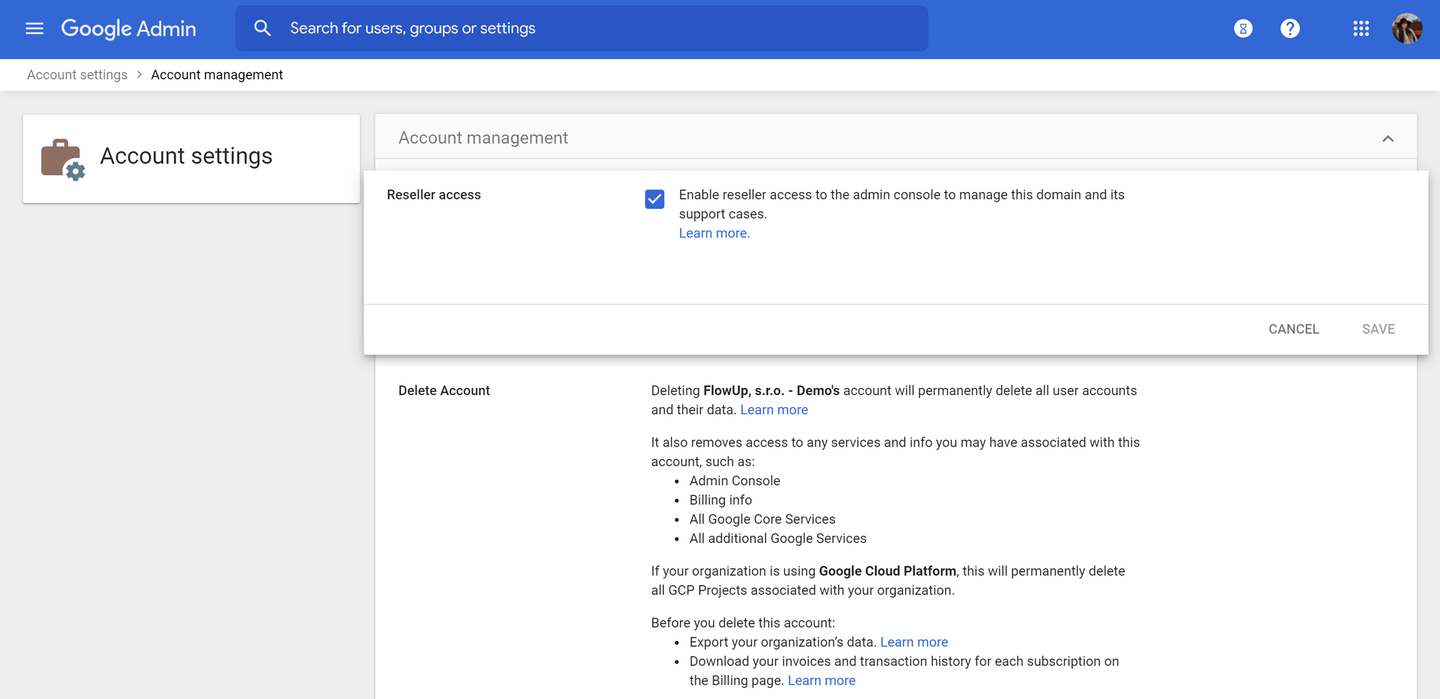
Click "SAVE" to save the changes.
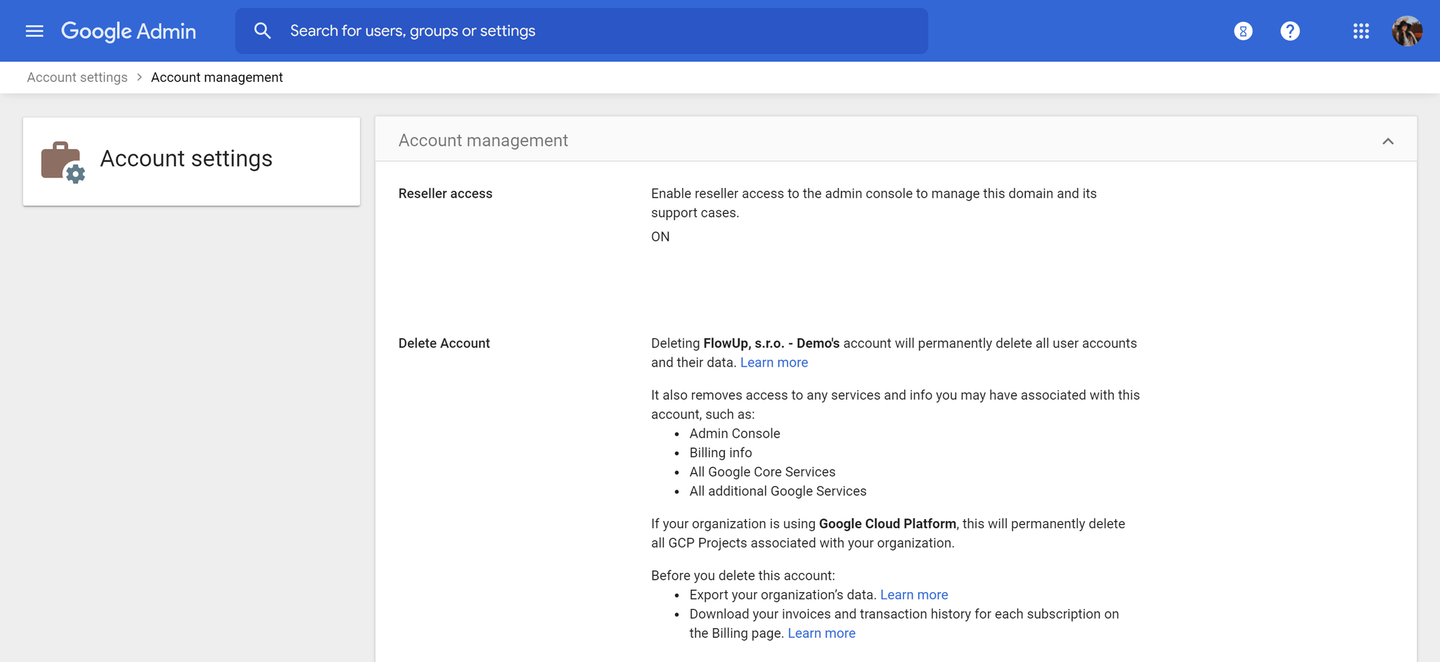
Done!
It's up to you whether you give us access or not. Don't worry, we don't have access to your business data in either case. Of course, our access to your admin console brings you several benefits. Read about them in our article below. ↓
Google Workspace Reseller does not have access to your data
Google Workspace Reseller does not have access to your data